FL Steve
I was trying to map my new presonus Atom controller transport buttons to Microtonic pattern transport. When I go into edit, I can map any cc(from my controller buttons) to any configurable buttons, knobs, sliders, in Microtonic, EXCEPT Play, Stop, and Program. Stop, can't be changed from C4. I'm using 3.3.4 Standalone on Mac M1X Sequoia. 109 is play and 111 is stop if that matters.
Thanks,
Steve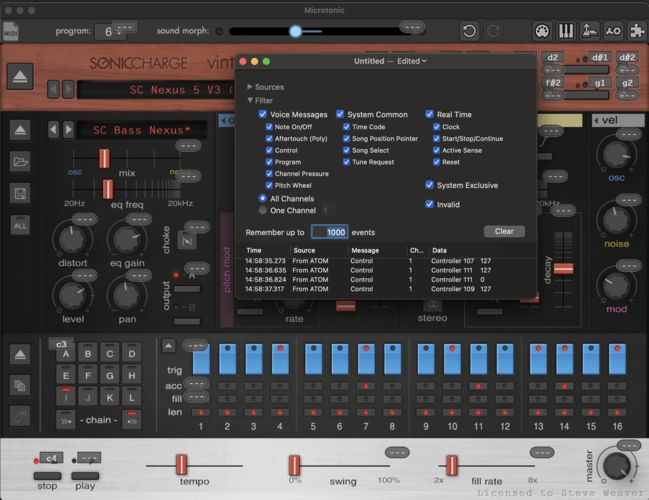
FL Steve
Is this expected? Is that just an odd limitation in this scenario? Bueler? Anyone?
AAV
Check the manual - Microtonic's transport controls are not CC assignable as they are designed to sync with the DAW/host universal transport control. Why not use the Atom's transport controls?
FL Steve
That's what I'm trying to do. Map the Atom's play and stop to microtonic's sequencer play and stop. The standalone app. I haven't tried loading it into a host which I think would work. Just sometimes I want a quick plug in and jam. The pic is midi monitor of the play and stop cc's the atom is sending. I could actually map them to ALL the other spots on the micro, except the play and stop on micro.
AAV
Sorry I misunderstood and presumed you were attempting something else. I'm on PC and don't own an Atom - I've only ever used Microtonic in a DAW or something like Nanohost or Savihost (as far as I know there's no standalone for the Windows version) or Cantabile lite. I can always run the transport from whatever controller's transport I want to use for the purpose. No setup needed. Maybe try a mini-host to see if it resolves the issue for you. Sorry - good luck.
You need to be signed in to post a reply