Magnus Lidström
Today we are excited to release a new free script for Synplant 2 owners. We call it PhenoType, and it lets you generate synth patches from text descriptions.
See this video for a quick demo:
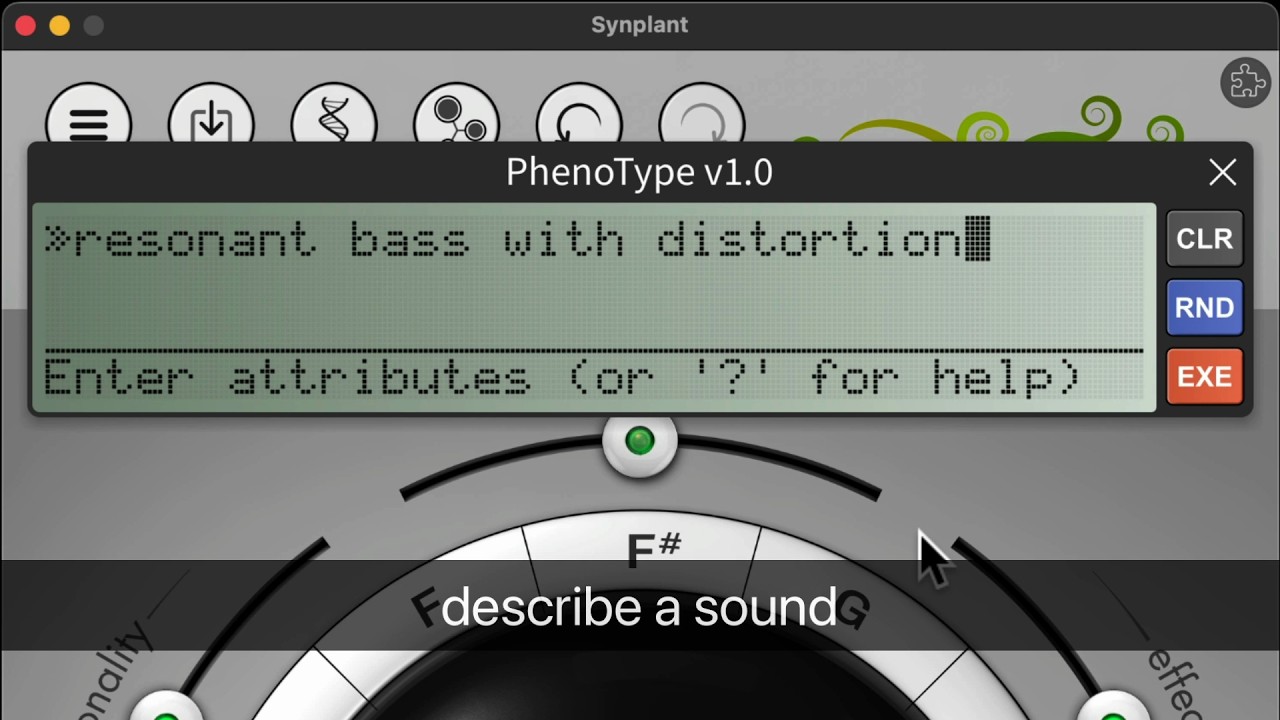
The interface is very straightforward. Simply type the description of a sound, texture, or instrument, click
EXE, and PhenoType will attempt to create something based on your input. Not happy with the result? ClickEXEagain and give PhenoType another chance.Naturally, every generated result is a fully editable Synplant patch that you can continue to tweak, mutate, branch, and evolve like any other sound in Synplant.
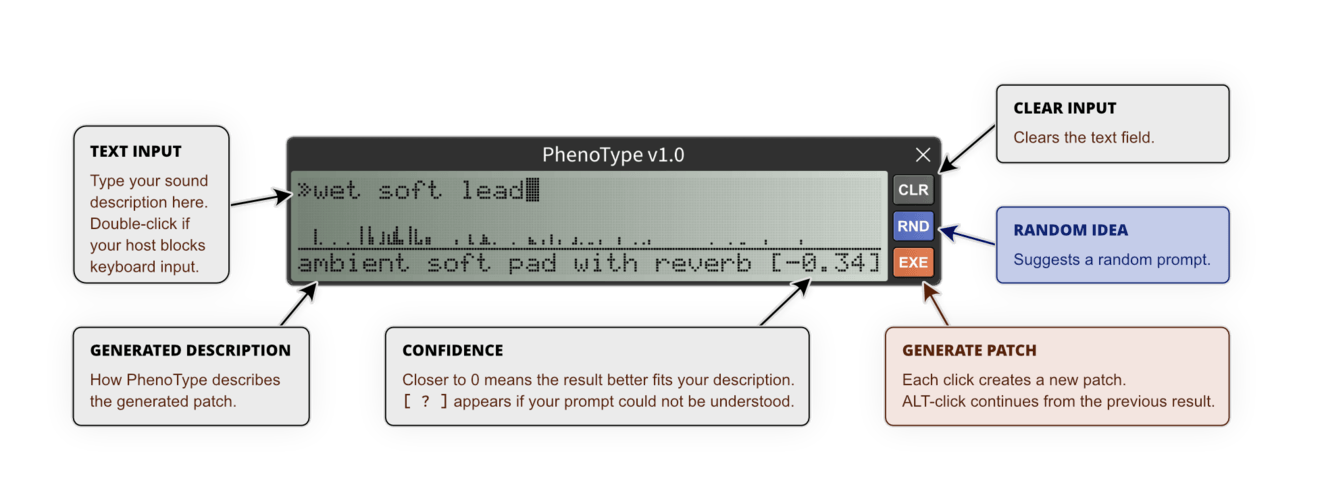
Here is an overview of the interface:
Background
The idea for PhenoType came from working on a new technology for Synplant: an algorithm capable of describing Synplant patches using words and tags. At some point, we started thinking: If an algorithm can create descriptions from patches, should it not also be possible to run the process in reverse and create patches from descriptions?
Once this idea was planted, we simply had to try building it.
Tips
The text parser is not a full-blown language model, so it will not understand very complex descriptions, but simple natural English generally works well. For example, don’t expect:
a sound that resembles a busy cafe heard from the street outsideto produce an accurate result. A description like:a reverb-drenched pad with a slow attack and some modulationworks better.You can also use shorter tag-style input, such as:
slow pad modulation reverb.The algorithm works with a few hundred internal tags, along with many synonyms, variations, and common misspellings. It also understands simple inversions such as
without reverbornot distorted.If the parser does not understand any of your input, it will generate a random patch. Another way to explore random sounds is to click
RNDand PhenoType comes up with a prompt for you.Download and Installation
A Synplant 2 license is required to download.
- Log in to soniccharge.com
- Download
PhenoType 1.0from https://soniccharge.com/download?~synplant - Open the
.dmg/.zipfile and run the included installer.
Open Synplant 2 and click the puzzle icon in the upper-right corner to access the scripts menu. Select
PhenoTypeto launch.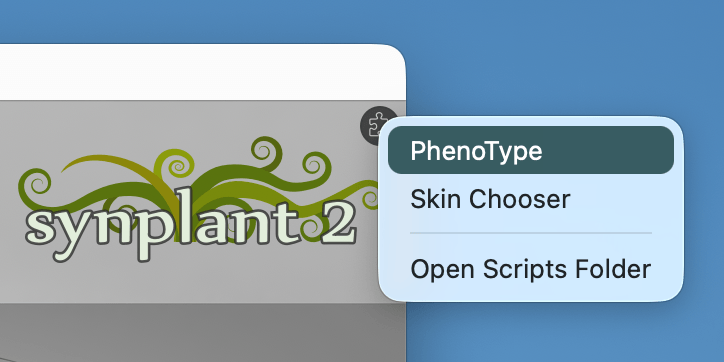
PhenoType runs entirely locally inside the JavaScript engine in Synplant 2. No cloud processing and no internet connection required.
Happy exploring!
Andy Music
BOOOM! THANK YOU!
Darren Bourne
Awesome, thanks! 🙏😁
Koshdukai
YES! Thank you! :D
Dana Adalaide
How much can it understand? What is the limits.. thats my question thanks!
SIC
Amazing stuff, thanks 👍
Jesse Burkunk
This is fantastic! Works great!
Lennart Verhoeff
Yesss! Great stuff as always :)
Synplant 2 is now my fav instant pad generator :D
Jean-Stéphane Guitton
Wow, simply wow...
Buckine
Downloading now. Fantastic idea. Can't wait to try it out!
larme
This is great!.
I have a (maybe stupid) idea: could we make the synth engine part of synplant open source so we can port it to different hardware/software, but keep the Genopatch and PhenoType part proprietary. So people still need a licensed synplant to generate interesting patch, but can use the patch in different environment?
Andros
i love you
Luis Bicho
Hey, Magnus
Cool thingy...Mikhail
It works! Very interesting!!!
peter schreur
wauw this is awesome
Andrew Atkinson
Very cool
AAV
Thank you Magnus! Much appreciated.
Aki Kettunen
Superb stuff, thanks!
trik jay
nice one
Abtech
Thanks for that great add-on, this is a very nice concept that I will often use
Lennart Östman
Great fun! Now it's even easier to have too many sounds!. It's great on synth sounds, pads basses, leads, brass are no problem what so ever. It's harder to make it sound like instruments. If I write Oboe it gives me sounds that are not even close, although I know Synplant is able to produce them. I suspect this script will only get better with time.
Mario Schumacher
An amazing new feature, Magnus! I've always needed a sound like that. 😉
Janne Andersson
Grymt jobbat. Tack!
Nicholas Black
A way to vote on the accuracy of a patch with a thumbs up or thumbs down similar to Patternarium would be very cool for building a more robust model.
robsong96
I'm sure this is only an FL Studio thing because there is currently no way to disable/change hotkeys for the DAW. But it seems like FL users will have issue with certain letters that are already assigned to hot keys (ie. R for record and L for switching between pattern and song). This is the case even when I change the wrapper settings so that the plugin has keyboard focus priority.
I guess what I'm wondering is if it's possible for Phenotype to launch outside a DAW entirely or some other solution.
robsong96
- robsong96 wrote:
I'm sure this is only an FL Studio thing because there is currently no way to disable/change hotkeys for the DAW. But it seems like FL users will have issue with certain letters that are already assigned to hot keys (ie. R for record and L for switching between pattern and song). This is the case even when I change the wrapper settings so that the plugin has keyboard focus priority.
I guess what I'm wondering is if it's possible for Phenotype to launch outside a DAW entirely or some other solution.
Sorry, just saw the thing on the help page about double clicking to bypass this.
Gianluca Servetti
Sounds amazing. Can't wait to try it.
Akod
Another path to happy accidents. Very interesting. Thanks, thanks, thanks!
psy modulator
Nice “update” .
PPfMedia
Thank you.
Stephen Holt
Very interesting stuff! thank you.
Ulf Lindqvist
Tack pöjkar, ni är något alldeles extra. 😃
Martyn Phillips
This is an excellent update - thanks so much. I am so happy this project is still being supported an developed.
Simon Leo
this
soundstypes fun! thank you guys again for such a great addition & keeping your tools alive!Andrea Marangoni
wow 🤩 🙏🏻 Can't wait to try it!!
Christian Rudolph
Superteil!
Javi Alvarez
THAAAAAAAAANKS!!!!!!!
paul wilson
So I have to redownload the whole synth and reinstall? Or is there a DL for just this additional feature?
Harald Kaintz
This is awesome! Thank you
Magnus Lidström
- paul wilson wrote:
So I have to redownload the whole synth and reinstall? Or is there a DL for just this additional feature?Unless you don't have the latest version of Synplant (version 2.0.2), you do not need to reinstall it. You only need to download and install
PhenoType 1.0.Sorry, it was not exactly clear in the instructions (I have updated them now).
Magnus Lidström
- Nicholas Black wrote:
A way to vote on the accuracy of a patch with a thumbs up or thumbs down similar to Patternarium would be very cool for building a more robust model.I totally agree, but Synplant 2 scripts can't access the internet. The only solution would be to save to a local log file that you could later submit. Not super elegant, but maybe better than nothing. I will think about it for the next update.
Magnus Lidström
- Lennart Östman wrote:
Great fun! Now it's even easier to have too many sounds!. It's great on synth sounds, pads basses, leads, brass are no problem what so ever. It's harder to make it sound like instruments. If I write Oboe it gives me sounds that are not even close, although I know Synplant is able to produce them. I suspect this script will only get better with time.Yes. It’s a first version. It currently knows about 210 tags (plus around 1000 synonyms), and I trained the neural nets myself on almost 60000 semi-randomly generated patches.
One thing I’ve noticed is that very specific sounds, such as classical instruments, are much harder than broader categories like “analog synth bass” or “pad”. An oboe has a fairly narrow definition. There aren’t that many different sounds that people would agree are an oboe. In contrast, there are thousands of sounds that could reasonably be called an analog synth bass.
So while Synplant is certainly capable of producing oboe-like sounds, finding that relatively small area of the parameter space is a much tougher problem for the networks. Hopefully that will improve over time.
paul wilson
Cool. Thanks Magnus!
Adam Nash
This is genuinely great. Love how you solve these sorts of problems!
When sounds get generated, are they random, named by the algorithm, then compared? Or are we cycling through that bank of 60k sounds?
Magnus Lidström
- Adam Nash wrote:
This is genuinely great. Love how you solve these sorts of problems!
When sounds get generated, are they random, named by the algorithm, then compared? Or are we cycling through that bank of 60k sounds?They are randomly generated. The 60000 sounds were training material for the classifier. The classifier is then used to estimate how well a randomly generated patch matches your request.
If you type something like
anything, it doesn’t actually understand that as a tag, and since there is nothing meaningful to match against, it will just keep going until it gives up and gives you a random patch.Another trick I forgot to mention in the instructions: you can click
EXEagain while it’s searching. That immediately stops the search and returns the current patch. It can be a fun way to get slightly more diverse results than the full search.PPfMedia
I got a leviasynth desktop yesterday I haven't touched yet. Since this machine is kind of a best of of anything fm and phase modulation, I wonder how close I can get Synthplant to reproduce its sound from a sample. Then have your AI to describe the sample - then type the description back and see how close it is from the original leviasynth sound. It would be a way to do my own slow training somewhat.
It is a crazy idea when I got your news.electronic drum
This is very cool. Thanks a million!
Christian Wilde
VERY cool. I love the way you guys think.
Lez Marwick
Thanks for this update. Synplant 2 is my all-time favourite synth for sound creation.
Leslie
Didn't expect much to be honest but after playing around with it for couple of hours I changed my mind -Truly great stuff :-)
Henry Lowengard
Hi! Somewhere I was asking to get a list of training keys, but I see it there in the script folder,
phenoSemantics15a_vocabulary.jsonso: Never Mind.Harald Kaintz
I played a while with it now and have to say it is really great and makes a lot of fun.
It also nails percussion and kick sounds well! :-)I then tried c64/chip sounds... Did you train it in that direction aswell? Because i did not get even close results. and if you type just chip music it says:
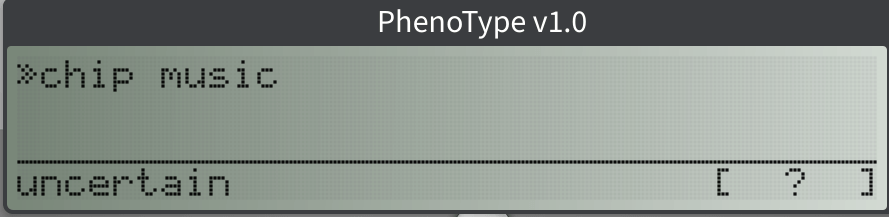
thanks again :-)
Pinnerco
Try "chip tune" or "chiptune" instead ;)
shredkitten
synplant was already the greatest thing, and now this - wow! thank you 🩵
Daniel Brenes Sanabria
Sick AF!
Jean-Pierre Mercier
I haven't read the whole thread so I'm sorry if this already came up. But am I the only experiencing this?
When I delete characters using backspace in the typing field of PhenoType v1.0, to be precise, when I delete every character backspacing instead of using the "clear" button it closes the project I'm working on. It doesn't crash Synthplant or Logic Pro, it just close the window. Not a huge problem now that I've learned not to do that though.
Logic Pro 12.2 - macOS Tahoe 26.5.1 - Apple M4 Max.
Jason Anderson
Thanks a lot for sharing this. I seem to get the best results when regurgitating descriptors I see it using to translate my prompt. I'm starting to write some of these down. There is no telling where this could go with a full lexicon of synthesis and applicable music terms. I like how you can play a note(s) while it is calculating. You can kind of hear where it is heading for the result and press the Execute key again to stop it and reanalyze. Keep sharing your great tips folks. Much appreciated.
Request: Hi Magnus, I wonder if there would be some way at some point to be able to access all of the descriptors that scroll by in the analysis field while the engine is calculating? For instance, at some point when calculating my prompt for a pad it threw in the descriptor "rhythm" but so far as I can tell there is no rhythmic element in the result. One can only really see the final description in the window. Thanks for consideration. Maybe a drop-down with all the words it used during analysis? You may know a smarter way to manage that, if interested. Update: I found some of the words in the ...vocabulary... file of the model folder... nice.
Jason Anderson
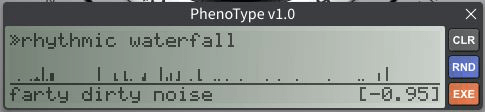
hmm,...well,...almost. haHarald Kaintz
Again awesome feature! Thanks a lot Magnus.
Is there a way to expand the "prompt"? i think now it is 70 letters?
I tried "Detuned saw and pulse waves with snappy, high resonance filter squelch" now and i tried to expand it with : no effetcs. but that is too long.Thanks in advance
Wojciech Cholascinski
What a great addition! Thank you!
You need to be signed in to post a reply