Spencer Ouellette
Wondering if there's any way I might be missing out on a way to send MIDI from Microtonic to another MIDI track.
Of course you can drag and drop patterns, which is useful and really intuitive. However, my favorite thing about Microtonic is it's swing & division sliders. I love modulating those parameters for bizarre rhythms, and the way the sequencer resets itself when switching swing/division is really novel and can't be recreated with other sequencers with similar features. Dragging and dropping a pattern of course does not transcribe these parameter changes to MIDI when automated so I'd love to know a way to route each channel (1-8) to a MIDI track(s) to record the events as they play out. Any ideas?
I'm using Ableton Suite 12 FYI
sosze
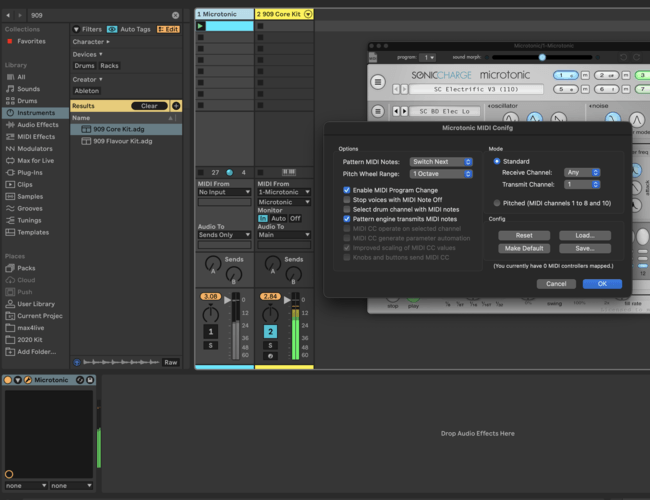
Not sure if I get you right but by default microtonic is sending midi. You just need to capture it on the track using "Midi from">Your Channel>Microtonic.
Turn off the audio from your microtonic track and just use the sequencer.
Spencer Ouellette
Yeah I was doing all this with no results. Just realized it's because I was using the AU component rather than VST3. Must be a glitch. The VST3 version works like a charm :D
You need to be signed in to post a reply