philter
hey guys,
i messed something up in my default skinchooser.mtsript folder . so i deleted the folder, uninstalled & reinstalled all sonic charge plugings, installed the official microtonic scripts package. but for some reason it does not generate the DEFAULT skinChooser script folder. any help?
philter
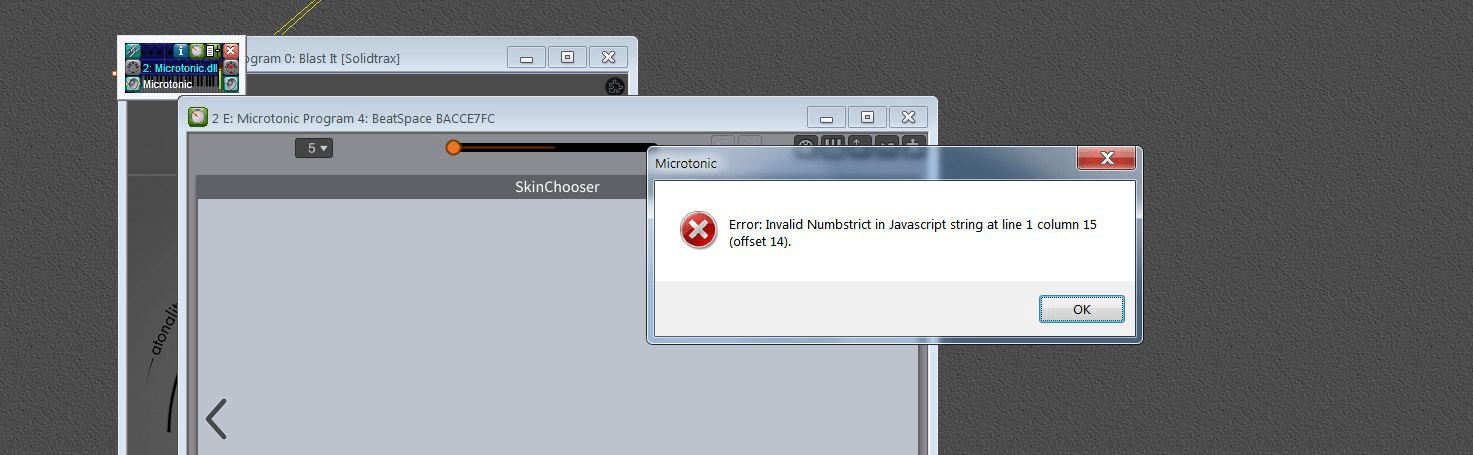
iam stuck, i no longer can get it to work.i tried EVERYTHING, i uninstalled ALL sonic charge pluging, deleted ALL remainig folders, restarted my PC, re-installed the plugins, the official scripts package and official skins package for microtonic. but i still get this error message :
AAV
Hey Philter I have no idea - guessing this is something that Sonic Charge would need to help you sort out - maybe try to email them directly? https://soniccharge.com/email
philter
i solved it, it was a corrupt color scheme makaron file inside one of my skin folders
AAV
Awesome
You need to be signed in to post a reply